
Conference agenda templates for your event
Start with a free one-day agenda, room grid or speaker form below. For repeated editing, the optional $7 download adds four Word documents and three Excel workbooks. The timing builder calculates consecutive sessions in one sheet; attendee agendas and team documents are updated separately.
- Instant download
- Editable Word & Excel
- Print-ready PDF
- 7-day refund
4 DOCX + 3 XLSX + 6 PDF + README (14 files)
Conference Agenda Template Pack
Optional editable set: four Word forms and three Excel workbooks, including a 33-row timing builder. Six PDFs are free below. Files do not synchronize or detect scheduling conflicts.
- One-day attendee agenda
- Two-day attendee agenda
- Multi-track session grid
- + 4 more
$7.00 USD, one-time
- Instant download
- 7-day refund
- Secure checkout by Stripe
7-day money-back guarantee. Full refund within 7 days of purchase, even after you download.
Conference Agenda Template Pack
Optional editable set: four Word forms and three Excel workbooks, including a 33-row timing builder. Six PDFs are free below. Files do not synchronize or detect scheduling conflicts.
- One-day attendee agenda
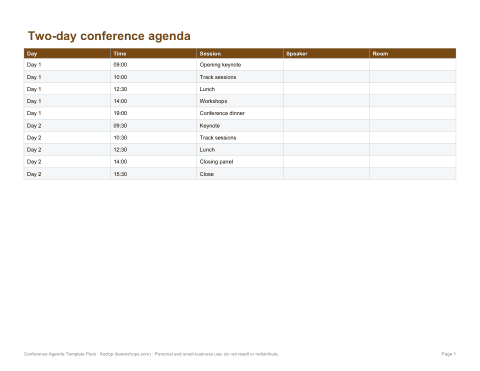
- Two-day attendee agenda
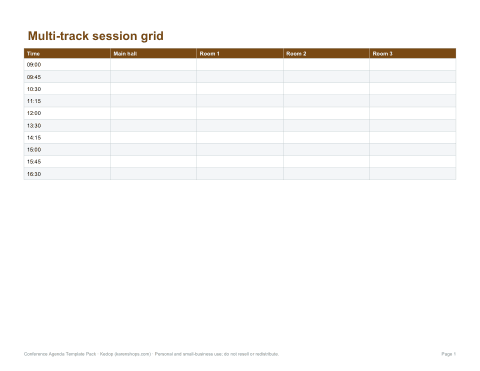
- Multi-track session grid
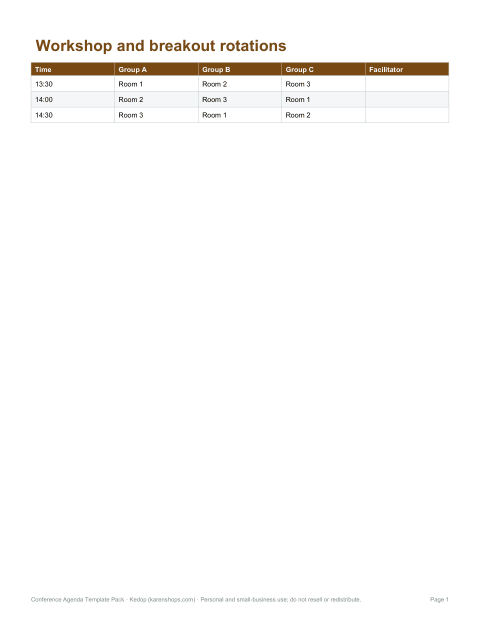
- Workshop rotation schedule
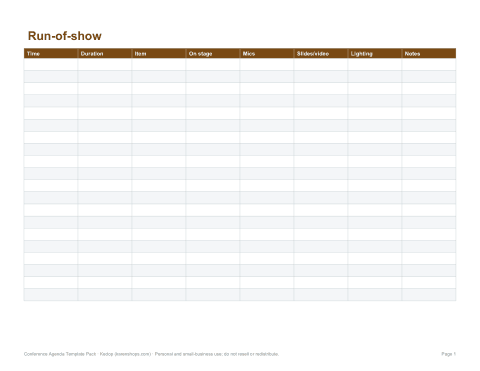
- Speaker run-of-show
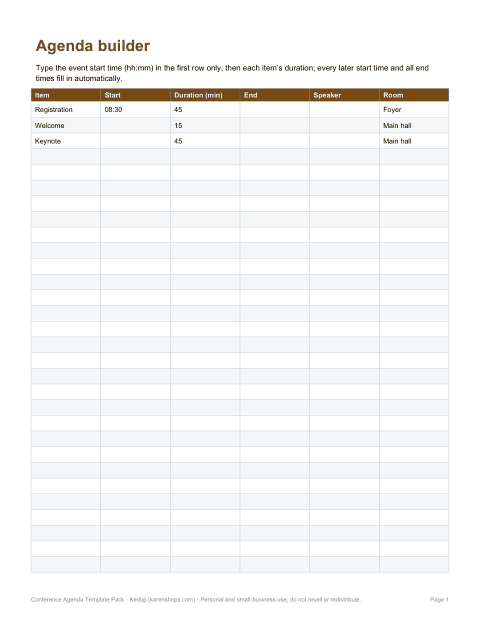
- Excel agenda timing builder
- Speaker information sheet
Formats: PDF, DOCX, XLSX. Instant download after payment (link valid 72 hours, up to 5 downloads). AI-assisted: AI tools were used to help draft these materials.
$7.00 USD, one-time
- Instant download
- 7-day refund
- Secure checkout by Stripe
7-day money-back guarantee. Full refund within 7 days of purchase, even after you download.
Full refund within 7 days — see the refund policy and license.
Free printables
Single sheets you can print right now, no sign-up. The full pack adds every sheet in one download plus the editable files.
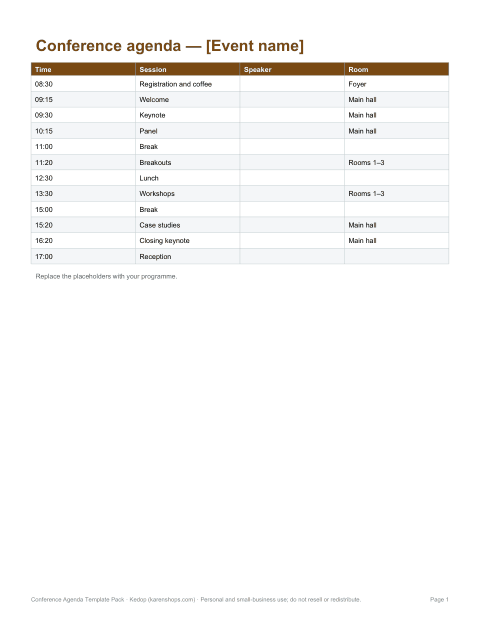
 One-day attendee agenda
 Two-day attendee agenda
 Multi-track session grid
 Workshop rotation schedule
 Speaker run-of-show
 Speaker information sheet
Choose the document for the job
| Task | Document | How it works |
|---|---|---|
| Share an attendee programme | One-day or two-day agenda | Edit sessions, speakers, rooms and the event details. |
| Compare parallel rooms | Multi-track session grid | Manually enter sessions in room columns. |
| Move groups between rooms | Workshop rotation schedule | Replace sample groups, room allocations and times. |
| Brief the stage team | Speaker run-of-show | Record time, duration in minutes, AV cues and owner notes. |
| Calculate consecutive timings | Agenda Builder XLSX | Enter a start time and whole-minute durations in 33 rows. |
| Collect speaker details | Speaker information sheet | Confirm public biography, session, AV needs and slides deadline. |
Free printables or editable files?
All six PDF forms are free without a purchase. The $7 pack adds four DOCX documents and three XLSX workbooks, with copies of the PDFs and instructions. Buy only if editing these layouts and reusing the timing builder fits your work; the PDFs may be enough for a one-off event.
Use the timing builder
- In B5 enter an Excel time such as 08:30, not an apostrophe-prefixed text value.
- Fill consecutive rows with an item and a whole duration from 0 to 1440 minutes. Amber cells are inputs.
- Review the numeric start and end times. A result of 24:30 means 00:30 on the following day.
- Correct missing inputs or invalid durations before continuing; a gap stops later rows with a message.
- Copy confirmed times into the attendee agenda and team files manually. Recheck formulas if you extend or reorder the sheet.
Limits to check before sharing
The seven templates are independent files. They do not synchronize changes, detect speaker or room conflicts, or convert time zones or daylight-saving changes. Keep one chosen time zone, record the date and version, and review each distributed document after a change. Sample times and sessions are placeholders, not a recommended event programme.
Keep attendee and team details separate
The attendee agenda needs confirmed sessions and locations. The run-of-show needs stage and AV cues. Collect an approved biography and session details on the speaker sheet; discuss private travel or access arrangements directly with the organizer instead of publishing them in the agenda.
Formats and compatibility
The timing formulas were tested in Microsoft Excel. Word documents were rendered and inspected with LibreOffice. Other editors may behave differently. PDFs are one-page US Letter layouts in the orientation shown; choose Fit to page for A4.
A free alternative
Smartsheet offers free event-planning templates, including event schedule layouts in Word and Excel. Compare those options and the free PDFs here before buying. This pack includes no event-management service or promised attendance outcome.
Frequently asked questions
What is included for $7?
Four DOCX files, three XLSX workbooks, six PDFs and a README: 14 files in one ZIP. The same six PDFs are free on this site.
Do changes sync between templates?
No. Only consecutive timings inside Agenda Builder recalculate. Copy revised timings to the other independent documents manually.
How does the timing builder handle mistakes?
It flags missing items, missing or invalid durations and invalid start times. Gaps or earlier errors stop later rows until corrected. Whole durations from 0 to 1440 minutes are supported.
Can I use multiple time zones?
The files do not convert time zones. Use one chosen time zone and label it clearly; verify any other displayed times separately.
Is this a subscription?
No. The $7 price is a one-time download. Use the free PDFs first to check whether the layouts fit your event.